
Step 1: Open Your Audit Report
First, log in to your AISEOgic account and open the website audit you want to review.
If you haven’t run an audit yet, follow our How to Run an Audit guide first.
Step 2: Find Your Overall Score
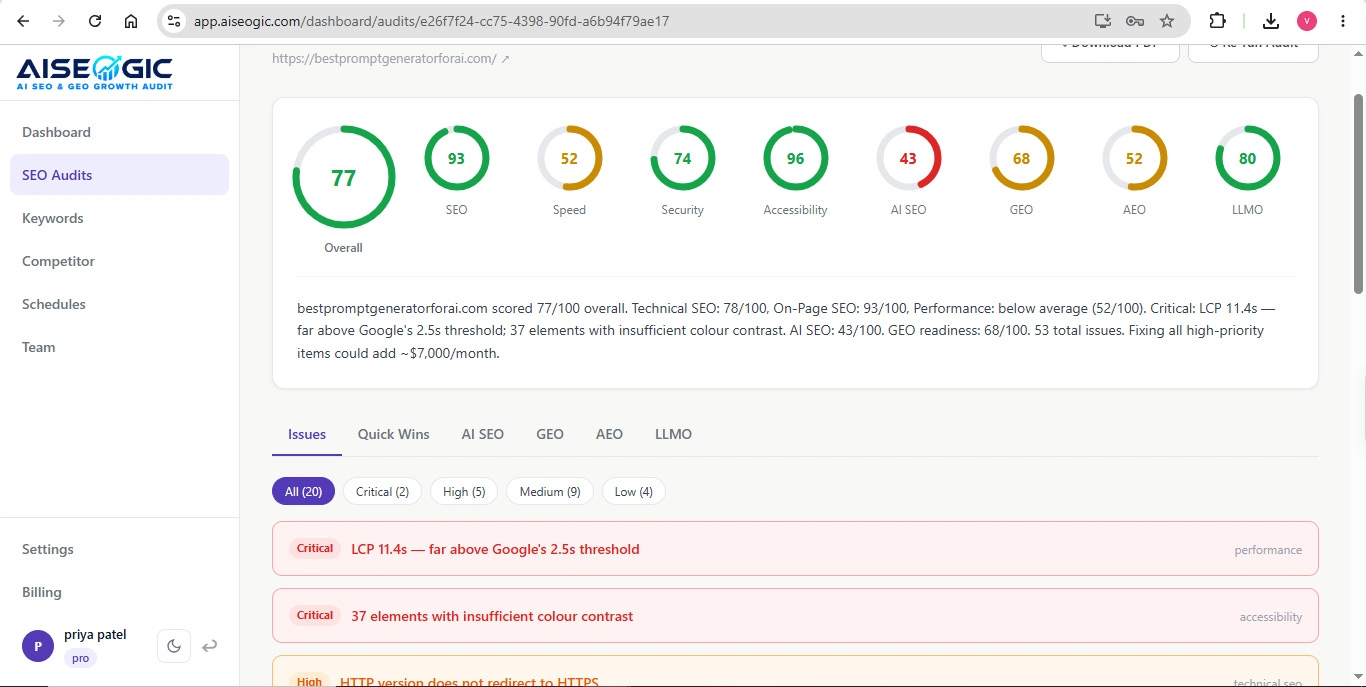
At the top of your audit report, you will see your overall audit score.
This score provides a quick snapshot of your website’s current SEO and AI search optimization health.
For example, if your report shows:
85 / 100
it means your website has a number of areas that are performing well, while other areas still have opportunities for improvement.
AISEOgic’s website describes its audit as analyzing more than 100 critical ranking factors and providing actionable recommendations.
Step 3: Don’t Look at the Overall Score Alone
Your overall score is useful as a starting point, but it does not tell you everything about your website.
Two websites can have similar overall scores while having very different problems.
For example:
- One website may have strong technical SEO but poor content.
- Another may have good content but performance problems.
- Another may have good traditional SEO but lower AI search readiness.
That’s why you should review the individual category scores as well.
AISEOgic explains that its analysis combines traditional SEO with GEO, AEO, and LLMO to provide a broader view of search visibility.
Step 4: Review Your SEO Score
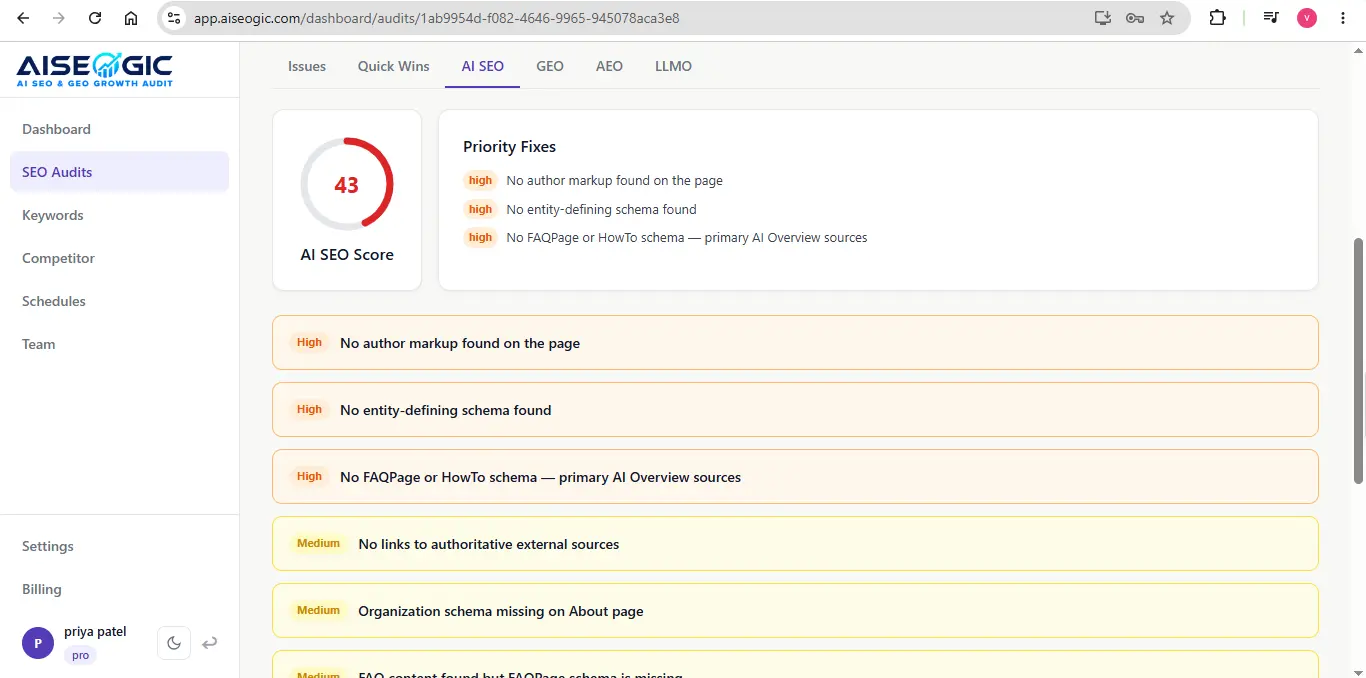
The SEO score helps you understand the overall health of your website from a traditional search optimization perspective.
Depending on the audit results, this can include areas such as:
- Technical SEO
- On-page SEO
- Meta tags
- Crawlability
- Indexability
- Internal links
- Structured data
- Redirects
- Content
- Website performance
AISEOgic states that its technical analysis includes crawlability, indexability, metadata, structured data, internal links, performance, and redirects.
Step 5: Review Your GEO Score
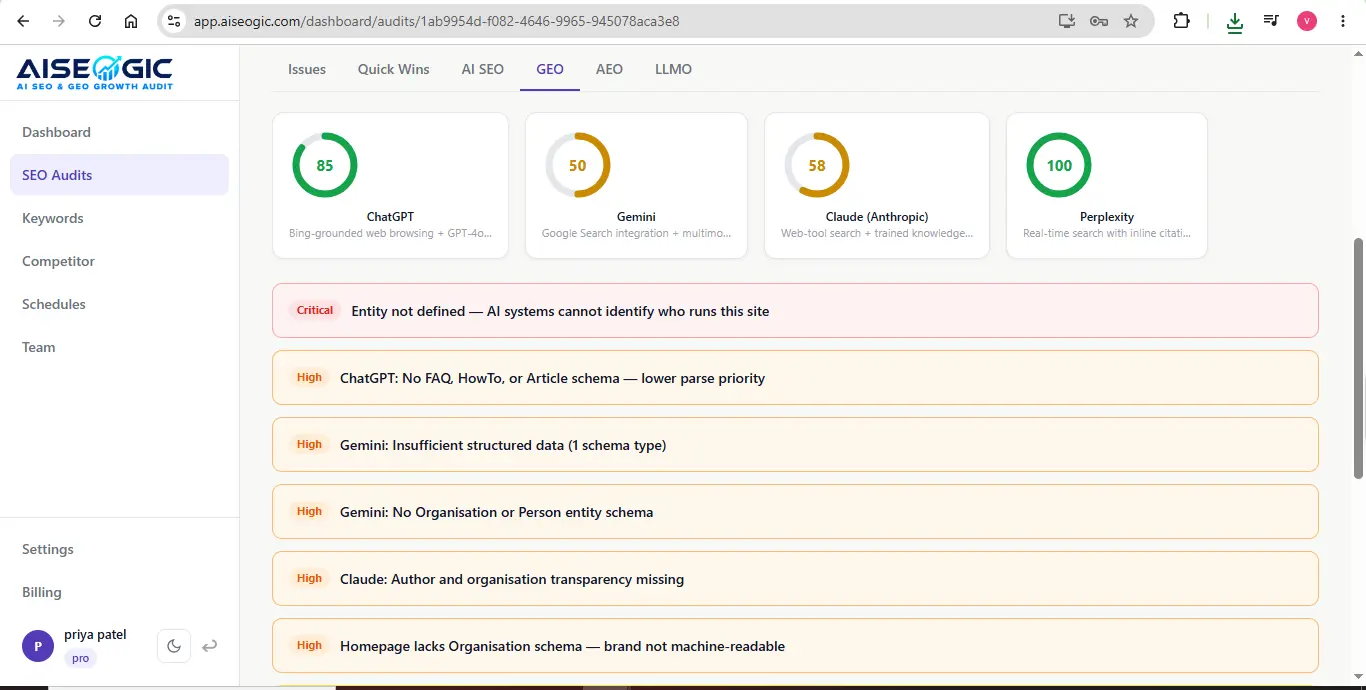
The GEO score relates to Generative Engine Optimization.
It helps you understand how prepared your website is for visibility across AI-powered search and generative search experiences.
GEO focuses on making your website content easier for AI-powered systems to understand, discover, and potentially reference.
AISEOgic describes GEO as an optimization approach for generative AI search experiences such as ChatGPT and Gemini.
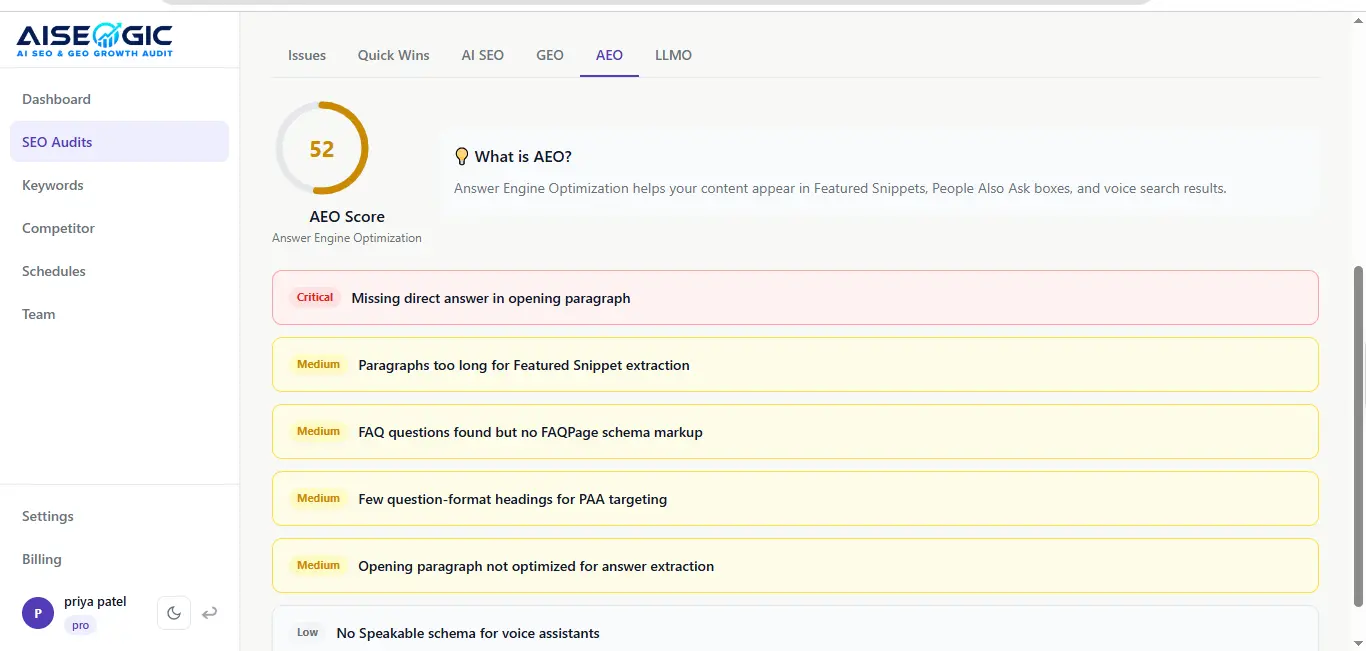
Step 6: Review Your AEO Score
Step 7: Review Your LLMO Score
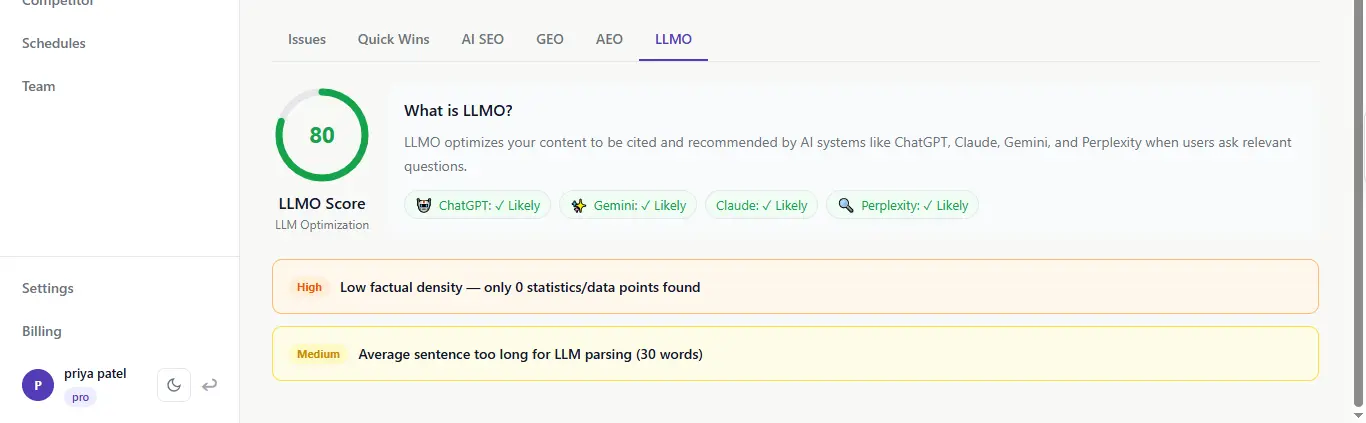
Step 8: Check Your Performance Score
Your audit may also show performance-related information.
Performance issues can include problems related to:
- Page speed
- Core Web Vitals
- Large resources
- Slow-loading pages
- Technical performance barriers
Step 9: Review the Issues Behind Your Score
Don’t stop after checking the score.
Scroll down and review the individual issues that contributed to the result.
AISEOgic’s audit is designed to show prioritized issues, explanations, and step-by-step recommendations.
For each issue, ask:
- What is the problem?
- How important is it?
- Why does it matter?
- What should I do to fix it?
Step 10: Prioritize Your Improvements
You don’t need to fix everything at once.
Start with the most important issues.
A recommended order is:
- Critical technical issues
- Crawlability and indexability problems
- Performance and Core Web Vitals issues
- Missing or incorrect metadata
- Schema and structured data issues
- Content issues
- Internal linking issues
- GEO improvements
- AEO improvements
- LLMO and AI search improvements
Step 11: Track Your Score After Making Changes
After fixing the recommended issues, run another audit.
Compare the new results with your previous audit.
Quick Summary
- Open Audit
- Check Overall Score
- Review SEO
- Check GEO
- Review AEO
- Review LLMO
- Check Performance
- Open Issues
- Follow Recommendations
- Fix Priority Issues
- Run Another Audit