
Step 1: Log In to Your AISEOgic Account
First, visit the AISEOgic website and click Login in the top-right corner.
You can also go directly to the AISEOgic application login page:
AISEOgic Login
Enter your registered email address and password, then click Sign In. You can also use Google to sign in.
Step 2: Open the Audit Dashboard
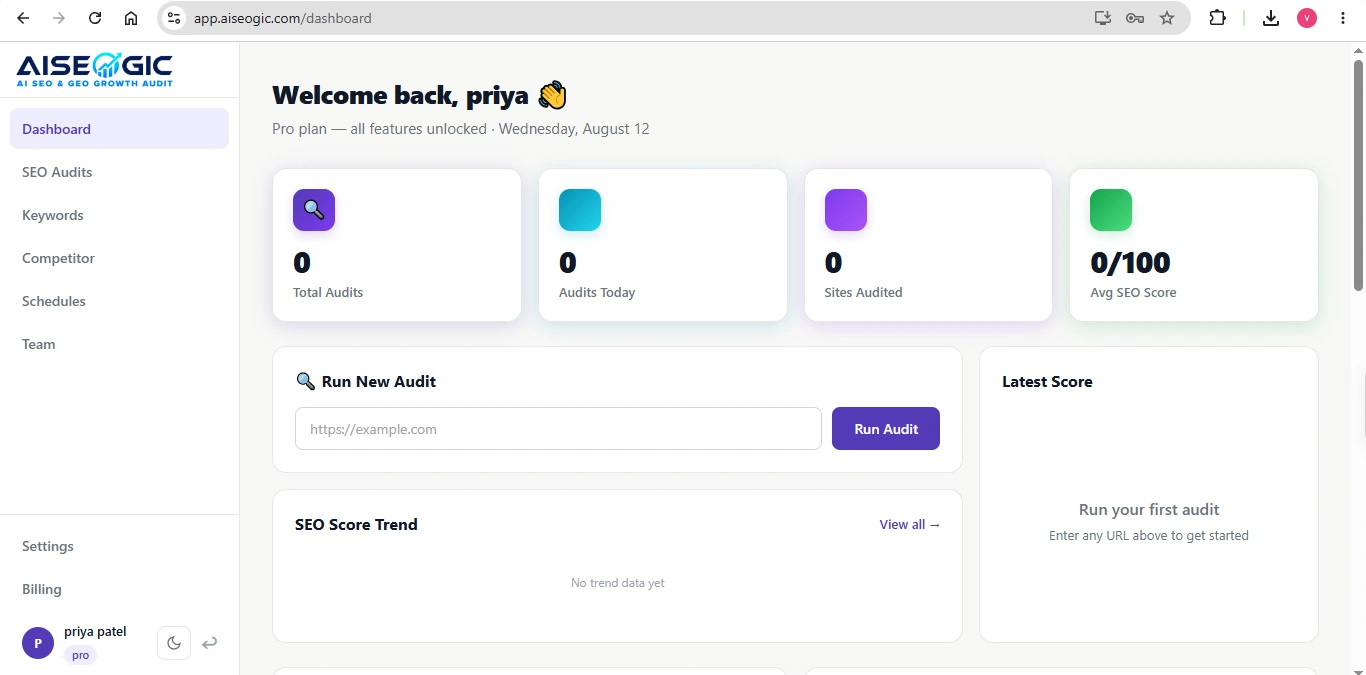
After signing in, you will be taken to your AISEOgic dashboard.
Look for the option to start a new website audit.
Click Run Audit, Start Audit, or the corresponding audit button shown in your dashboard.
Step 3: View Your Audit Report
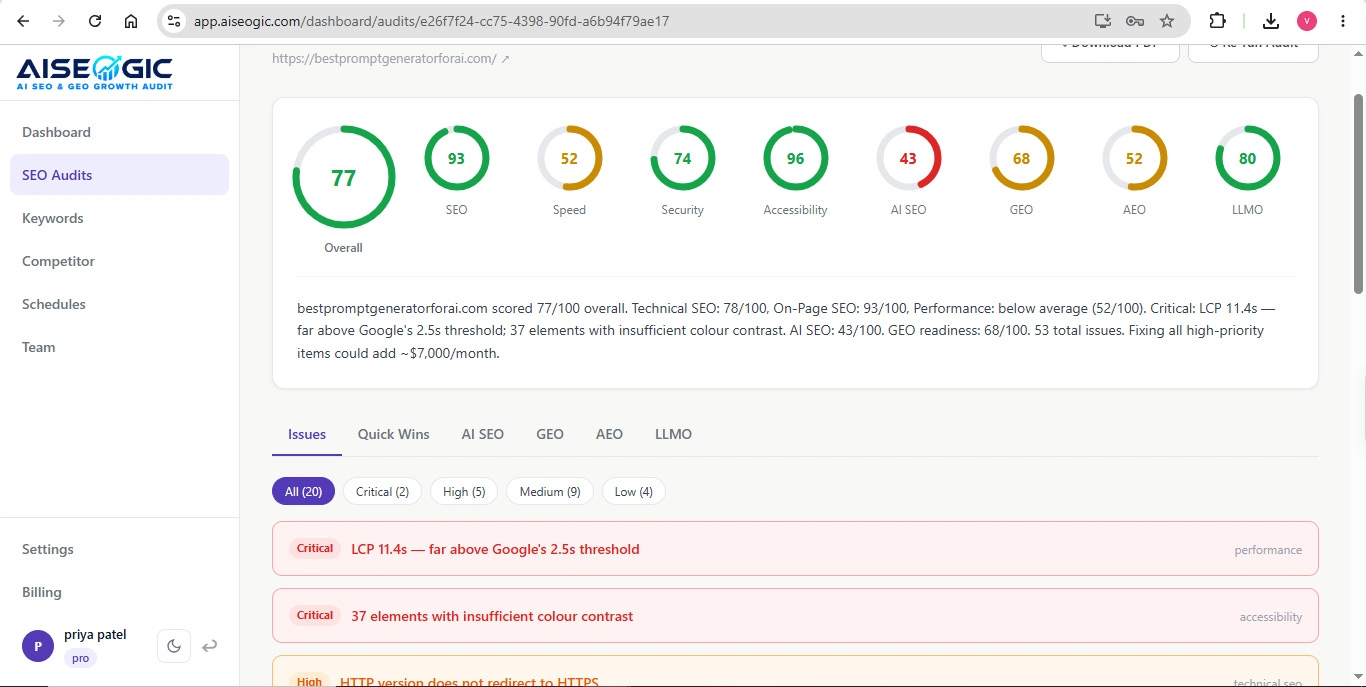
When the audit is complete, AISEOgic will display your audit report.
The report provides an overview of your website’s current SEO and AI-search readiness.
AISEOgic’s audit is designed to provide a detailed breakdown of areas such as technical SEO, Core Web Vitals, schema, content, performance, and AI search readiness.
Step 4: Review Your SEO Scores
Review the different scores and sections in your audit report.
Depending on the available report sections, you may see information related to:
- SEO
- Technical SEO
- Performance
- Content
- GEO
- AEO
- LLMO
- AI Search Readiness
- Accessibility
- Security
- Structured Data
Step 5: Review the Issues Found
Scroll through the audit report to find the issues detected on your website.
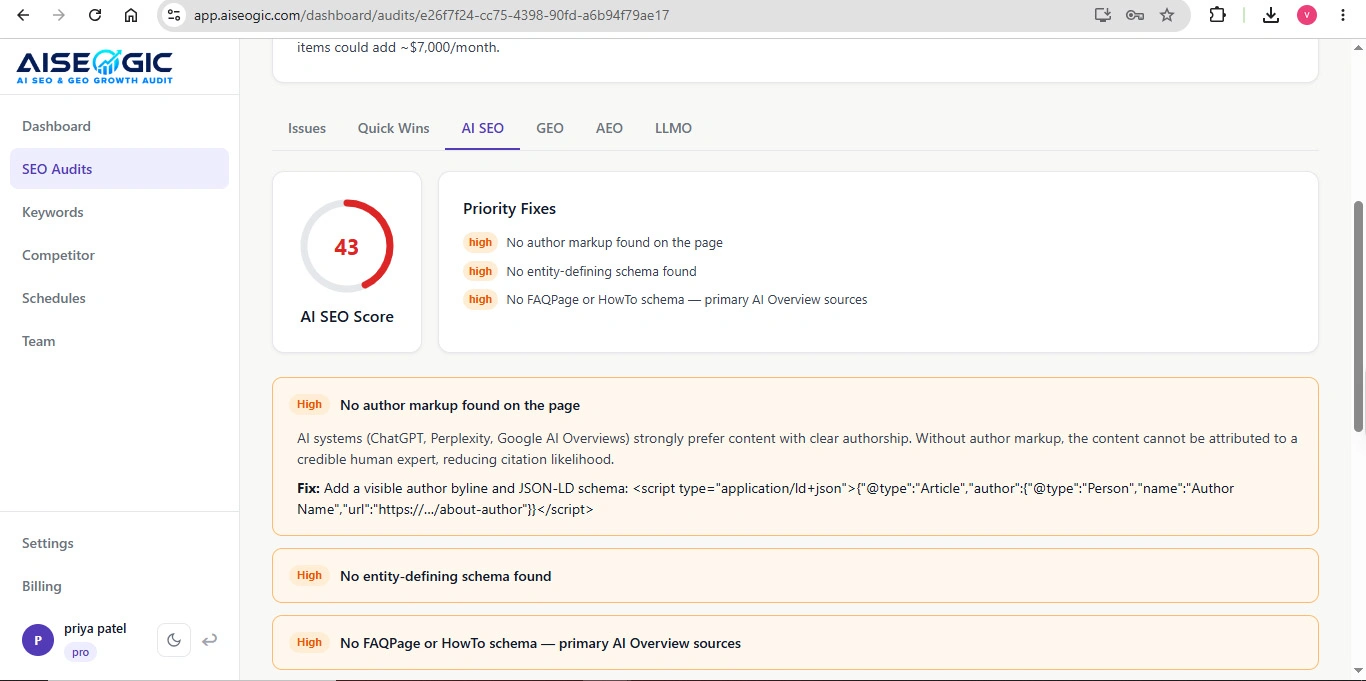
AISEOgic prioritizes issues that may affect your website’s search visibility and provides recommendations for improvement. The platform describes its reports as providing prioritized issues, explanations, and step-by-step fixes.
Look for sections such as:
- Critical issues
- High-priority issues
- Warnings
- Passed checks
- Recommendations
Step 6: Fix the Highest-Priority Issues First
Start with the most important issues identified by the audit.
A good approach is to work through:
- Critical technical issues
- Indexing and crawlability problems
- Performance and Core Web Vitals issues
- Missing or incorrect metadata
- Structured data and schema issues
- Content optimization opportunities
- AI search, GEO, AEO, and LLMO recommendations
Step 7: Run Another Audit After Making Changes
After fixing the important issues, run another audit for the same website.