

Fix SEO Audit Issues in WordPress — Safely, and Prove It on the Live Page
AISEOgic Audit Fixer is a WordPress plugin that turns an SEO audit report into real fixes on your site. It applies safe changes automatically, writes AI patches you review before anything is saved, and gives exact copy-paste steps for the rest — then checks your live page to confirm each fix actually worked.
Licensed Pro plugin · Works with Elementor, Divi, Gutenberg and classic themes · Yoast SEO, Rank Math and AIOSEO · Any site language
Key Takeaways
- AISEOgic Audit Fixer fixes the issues in your SEO, AEO, GEO and LLMO audit directly inside WordPress.
- Issues are sorted into three tiers: automatic, AI patch you review, and manual with exact instructions.
- Every fix is checked on the live page; a row only says "Fixed" when the change is really there.
- It works on the final page your visitors see, so page builders like Elementor and Divi are supported.
- Server-level fixes are tested before and after and rolled back automatically if anything breaks.
- AI patches are written in your page's own language, and nothing is invented — no fake statistics, reviews, credentials or links.
Why most SEO audit fixes never get done
An SEO audit is only useful if the problems get fixed. In practice most audits end as a long list: missing schema, no canonical tag, weak titles, no FAQ, no llms.txt, headers nobody understands. Each fix means a different plugin, a code snippet, or a developer.
And fixing is risky. A wrong line in .htaccess can take the whole site down. A “fix” that only changes a database field can show Fixed while the live page stays exactly the same — especially on page builders like Elementor that don’t print normal post content.
AI search adds a new layer. ChatGPT, Perplexity, Gemini and Google AI Overviews choose what to quote based on structure, direct answers, authorship, schema and crawler access — signals most WordPress sites don’t have yet.
Audit Fixer closes the gap between “here is what is wrong” and “it is fixed and verified.”
How it works — three steps

Step 1: Run an audit.
Run your page or site through the free AISEOgic audit and copy the report.

Step 2: Paste it into WordPress.
Open AISEOgic Audit Fixer → Audit Fix, paste the report and click Ingest. Every issue is sorted into a tier. Pasting the same report again never creates duplicates.

Step 3: Fix, review, or follow the guide.
Click Fix for automatic items, review AI patches before applying, and open How to fix this yourself for the rest. After each action the plugin re-reads your live page and tells you exactly what happened.
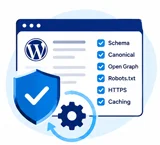
Three tiers, so nothing risky happens silently

Tier 1 — Fully automatic
Safe changes built only from data WordPress already has: schema, canonical, Open Graph, robots.txt, llms.txt, table-of-contents anchors, security headers, HTTPS redirect, compression and caching, accessibility labels. One click — or Fix all Tier 1.

Tier 2 — AI-assisted, reviewed by you
AI writes a patch from your page's own text: SEO title, meta description, FAQ section, direct-answer paragraph, key takeaways, question-style headings, image alt text, descriptive link text, shorter sentences, related-reading links. You see a before/after. Nothing is written until you click Apply.

Tier 3 — Flagged, with exact instructions
Things that need a real fact, a hosting change or a human decision — SSL certificates, Core Web Vitals, CSP, credentials, citations, legal pages. Each one shows why it can't be automated and a How to fix this yourself panel with the file name, where to go, and code you can copy.

What Audit AISEOgic Fixer fixes — SEO, AEO, GEO and LLMO
- canonical tags
- Open Graph & Twitter cards
- Article/WebPage schema
- SEO title and meta description rewrites
- image alt text
- descriptive link text
- robots.txt sitemap line
- WordPress sitemap
- lazy-loading
- mixed-content links
- lang and viewport tags
- site icon
- related-reading internal links.
- direct-answer paragraph
- under your page title
- FAQ section + FAQPage schema
- question-style headings
- Key Takeaways - at the end of the content
- HowTo and Speakable schema
- contents list with anchor links.
sameAs links to your real profiles, and keeps author and business information consistent. It can also add a Last updated date and freshness schema using the page’s actual modified date, helping AI systems identify the recency of your content. For AI search access, it can allow answer-engine crawlers such as OAI-SearchBot, ChatGPT-User, PerplexityBot and Claude-SearchBot in robots.txt. Audit Fixer makes your website content easier for large language models to discover, understand, extract and cite. It can generate an /llms.txt file from your published pages and posts, add a plain-language definition of your main topic, and improve content structure so important information is clear, self-contained and easier to quote accurately. LLMO is not about forcing an AI system to mention your website; it is about giving AI systems clearer signals and well-structured information to work with. AI training crawler controls remain under your control — crawlers such as GPTBot and Google-Extended are never enabled or disabled silently by the plugin because that is your website’s policy decision.
- HTTPS redirect
- X-Content-Type-Options
- Referrer-Policy
- X-Frame-Options
- HSTS
- Permissions-Policy
- gzip compression
- browser caching
- hide X-Powered-By
Works with Elementor, Divi, Gutenberg and classic themes
Most plugins edit the “post content” field — which page builders like Elementor don’t print. The change is saved, the page doesn’t change, and the plugin still says done.
AISEOgic Audit Fixer works on the page your visitors actually receive. It finds your real title, your real main content area and your real headings, then:
- puts direct answers right under the page title (not above your hero),
- puts FAQ, key takeaways and related links at the end of the content, before the footer,
- replaces text in place — headings, alt text, link text — keeping your icons and styling,
- builds the contents list from the headings that are really on the page.
Your builder’s own data is never touched, so everything is reversible.
Server fixes that can't take your site down
Changing server files is where SEO “quick fixes” go wrong. Audit Fixer is built so a mistake can’t reach your visitors:

Headers and the HTTPS redirect go through PHP, which can't cause a server error. .htaccess is used only when PHP can't do the job.

Your site and login page must respond normally first. If your host blocks self-requests, nothing is changed.

Every rule is wrapped so a missing server module can't crash the file; a backup is kept.

Catches server errors and redirect loops (for example a CDN set to "Flexible" SSL).

If anything fails, the original file is restored immediately.

On nginx, read-only files or WordPress multisite it changes nothing and shows you the exact snippet to add.

from Settings → Server rules added by this plugin.

After every fix the plugin fetches your real public page and looks for the result. If it isn’t there, the change is rolled back and you get the reason in plain language — for example “a page cache is serving an old copy” or “your host’s file overrides this.” It also asks common cache plugins to refresh first.
Built for sites everywhere

AI patches are written in the language of the page they belong to — titles, descriptions, FAQs, takeaways, headings, alt text and link text — and question headings use the right punctuation

The plugin only writes facts you provide. If you pick an AI provider, only the page title and roughly the first 500 words are sent, and only when you click Generate patch.

Automatic server edits for Apache and LiteSpeed; exact copy-paste snippets for nginx and for hosts that don't allow file edits.

Elementor, Divi, Gutenberg or a classic theme; Yoast SEO, Rank Math, All in One SEO — or none.

The admin interface is in English today; a translation template is included for community and professional translators [update when translations ship].

Honest by design
Audit Fixer will never:
- invent statistics, quotes, awards, reviews or credentials;
- make up your address, phone number or social profiles — it uses only what you enter in Settings;
- add fake or unrelated links;
- change security headers that could break checkout, maps or embeds (CSP, COOP/CORP) without a guide;
- decide for you whether AI companies may train on your content.
Fake trust signals hurt rankings and AI citations. This plugin is built to protect them.
Built for the people who actually have to fix the audit
- Site owners with a long audit and no developer.
- Freelancers and agencies fixing the same 20 issues on every client site — paste, review, click, verified.
- Marketing and content teams who want AEO, GEO and LLMO improvements without writing code.
- Developers who want a safe, reversible way to apply fixes and a clear manual guide for the rest.
AISEOgic Audit Fixer vs generic SEO plugins
| Feature |
Generic SEO Plugins
|
AISEOgic Audit Fixer
|
|---|---|---|
| Starts from your actual AISEOgic audit | ❌ No direct AISEOgic-audit import workflow | ✅ Paste the audit once |
| Sorts safe vs risky fixes | ❌ No three-tier fix workflow | ✅ 3 tiers: automatic, AI-assisted, guided |
| AI patches you review before saving | Content-focused AI tools | ✅ Review AI-assisted patches before saving |
| Verifies the change on the live page | ❌ SEO Analyzer analyzes live sites, but no documented post-fix verification workflow | ✅ Re-checks the live page after a fix |
| Works with page-builder output | ✅ Elementor, Gutenberg and other integrations | ✅ Designed to work with page-builder output |
| Safe server edits with auto-rollback | Backup of the last saved .htaccess version; no automatic rollback | ✅ Health check + automatic rollback for supported server fixes |
| AEO / GEO / LLMO | llms.txt + AI Visibility + SEO/schema features | ✅ AEO, GEO and LLMO-focused audit fixes |
| Exact file + code for manual items | Documentation/code snippets available, but not generated from each audit issue | ✅ Exact file, location and code/instructions for guided fixes |
Get AISEOgic Audit Fixer
| Features |
1 Site
For one website
|
MOST POPULAR
3 Sites
For growing businesses
|
10 Sites
For agencies & freelancers
|
|---|---|---|---|
| Best for |
One website you own |
A few sites or small client work |
Agencies, freelancers and portfolios |
| Price | $29 / MONTH | $49 / MONTH | $99 / MONTH |
| WordPress sites | 1 | 3 | 10 |
| Tier 1 — automatic fixes | ✓ | ✓ | ✓ |
| Tier 2 — AI patches you review | ✓ | ✓ | ✓ |
| Tier 3 — manual guides (file + code) | ✓ | ✓ | ✓ |
| Verified on the live page | ✓ | ✓ | ✓ |
| Guarded server fixes + auto-rollback | ✓ | ✓ | ✓ |
| Any page builder · any site language | ✓ | ✓ | ✓ |
| Updates for the license period | ✓ | ✓ | ✓ |
| Support | ✓ | ✓ | ✓ |
| Get 1-Site License | Get 3-Site License | Get 10-Site License |
Requirements: WordPress 6.2+ · PHP 7.4+ · an AI provider key is optional and only needed for Tier 2 (OpenAI, Google Gemini, Groq, OpenRouter, or the free Pollinations option).
Frequently Asked Questions
1. What does AISEOgic Audit Fixer do?
It turns an aiseogic.com audit report into fixes inside WordPress. Safe issues are fixed automatically, AI patches are shown for your review before saving, and issues that can’t be safely automated get step-by-step instructions with the file and code to use.
2. Can a plugin fix SEO issues without breaking my site?
Yes, because risky changes are never made blindly. Headers and redirects go through PHP first; any .htaccess edit is tested before and after, and the original file is restored automatically if the site stops responding normally.
3. How does it know a fix really worked?
After each fix it fetches your live public page and looks for the result. If the change isn’t there, it is rolled back and you get the reason. A row only shows “Fixed” when the change is confirmed.
4. Does it work with Elementor and Divi?
5. Does it work with Yoast SEO, Rank Math or All in One SEO?
6. Does it work on sites that aren't in English?
7. What is AEO?
8. What is GEO?
Generative Engine Optimization: making your site easy for AI systems such as ChatGPT, Perplexity, Gemini and Google AI Overviews to understand, trust and cite — clear authorship, organization schema, freshness and crawler access.
9. What is LLMO, and what is llms.txt?
LLM Optimization prepares content for large language models. llms.txt is a plain-text file at /llms.txt that lists your key pages for AI systems. The plugin builds it automatically from your published pages and posts.
10. Will the AI write fake statistics or reviews?
11. Do I need an AI API key, and what data is sent?
Only for Tier 2 patches; Tier 1 needs none. You can choose OpenAI, Google Gemini, Groq, OpenRouter or the free Pollinations option. Nothing is sent until you choose a provider, and then only the page title and roughly its first 500 words when you click Generate patch. The provider’s own terms and privacy policy apply.
12. Can I undo a fix?
Yes. Display-time changes are removed by deactivating the plugin or removing the rule, server rules can be removed from Settings → Server rules, and WordPress revisions keep earlier versions of any edited post text.
13. What if my host runs nginx or doesn't allow file edits?
14. Does it block AI crawlers?
15. Does it work with WordPress multisite?
It can be used on multisite sites, but it never edits the shared .htaccess automatically — you get the exact snippet to add instead.
16. Is there a free version?
No. Audit Fixer is a licensed Pro plugin. You can run the free aiseogic.com audit first to see which issues it would fix.
Paste your report, fix what's safe, review what the AI writes, follow the guide for the rest — and watch your next audit score go up.